I will be using the letter M, and the number 7 which is the second last number of my student number or it would have been 0.
I decided to keep and utilise the bright sun for my environment so I can play around with shadows/colours/time of day.
With that being said for M, I am planning to create a forest concept with a path going through in the shape of M. I am also aiming to have 'M' visible through shadows somehow.. I will figure that part out later.
For '7' I aim to play around with proportion/scale. Most likely through trees. I want to from a specific perspective to be able to see the number 7. It has occurred to me that through shadows with the sun facing on the exterior of the trees (placed in a 7 pattern), that the shadow will also produce the same number.. So I might include that too.
Thursday, August 16, 2012

Monday, August 13, 2012
Skybox
First reference:

Crysis:

Before changes in time of day:

After changes in time of day:

Time of day settings:

Second reference:

Crysis, before change in time of day settings:

After changes in time of day:

Time of day settings:

Still having problems with the weird prisms forming around my vegetation. And my character looks really absurd for some reason.. I can't take screenshots in real time with these prisms sticking out from the character..

Monday, August 6, 2012
Picturesque (w3)


I had a strange problem when I converted to real time where prisms would pop up where my vegetation was, as well as the character and the weapon used. The issue can be seen in the video below..
I also had issues with creating more water volumes - where the water would not pop up, even after I chose the material, so that was strange and quite disappointing..
I also need to fix the scale of my landform for bridges/structures to look proportionate..
Monday, July 30, 2012
Reference Images
Claude Lorrain

http://xroads.virginia.edu/~HYPER/DETOC/hudson/claude.html

William Gilpin

http://www.shafe.co.uk/crystal/images/lshafe/Gilpin_Landscape.jpg
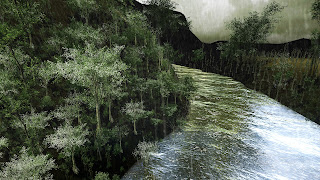
Capability Brown
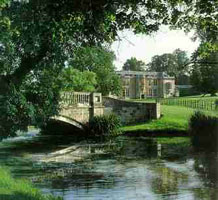
http://www.gardenvisit.com/assets/madge/hartwell_house_hotel/600x/hartwell_house_hotel_600x.jpg

Humprey Repton

http://www.themorgan.org/collections/works/repton/images/MoreImages/large/pml_46448_on.jpg
 JMW Turner
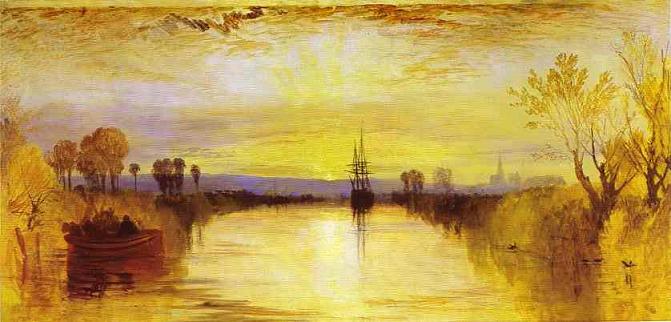
http://upload.wikimedia.org/wikipedia/commons/5/52/Chichester_canal_jmw_turner.jpeg

Zhuozheng Garden
http://xroads.virginia.edu/~HYPER/DETOC/hudson/claude.html

William Gilpin
http://www.shafe.co.uk/crystal/images/lshafe/Gilpin_Landscape.jpg

Capability Brown
http://www.gardenvisit.com/assets/madge/hartwell_house_hotel/600x/hartwell_house_hotel_600x.jpg

Humprey Repton
http://www.themorgan.org/collections/works/repton/images/MoreImages/large/pml_46448_on.jpg

http://upload.wikimedia.org/wikipedia/commons/5/52/Chichester_canal_jmw_turner.jpeg

Zhuozheng Garden
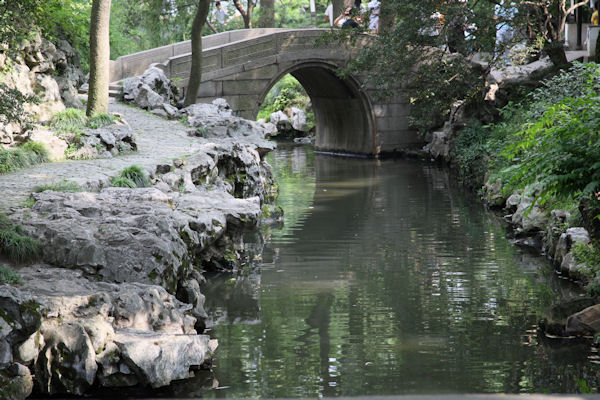
http://www.paulnoll.com/China/Suzhou/Humble-Garden-09.jpg
Week 2 Indepedent Study
Reference Images of Ben Lomond (Tasmania, Australia)

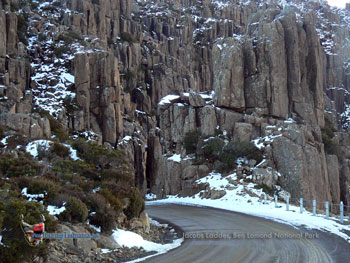
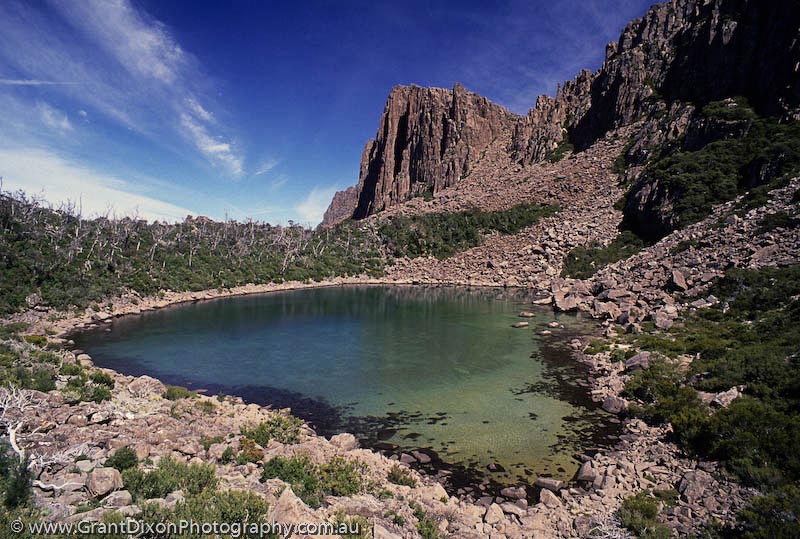
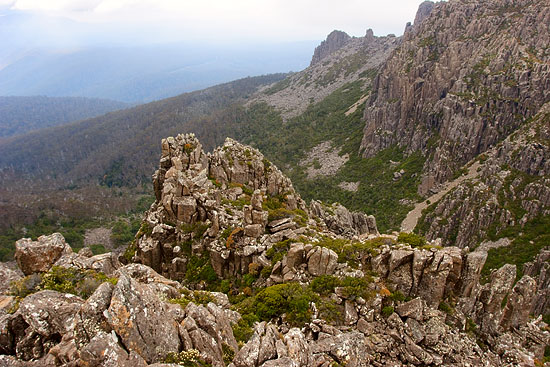

References:
Geocontrol/Photoshop/Crysis


I had trouble with the vegetation part, hence why it looks a bit plain and not as rocky as the photographs I found. For some reason I could not find any vegetation objects when I tried to 'add' them in the list.
Thursday, July 26, 2012
Landscapes

Twelve Apostles, Australia.
Photo was taken at sunset. Basically limestone figures that stick out above the water, caused gradually by years of erosion of the cliffs."contains a wide range of remnant coastal vegetation types including important coastal heathlands, shrubby sand dunes, clifftop grasslands and shrublands, open forests, woodlands and swamps. Combined, these environments support a remarkable diversity of plants..Important plant species include the Swamp Greenhood, Clover Glycine, Square Raspwort, Lime Fern and Metallic Sun-orchid."
- http://www.igougo.com/review-r1164441-12_Apostles.html

Ben Lomond, Australia.
Photo was taken at dawn on a mountain. Landscape consists of boulders, vertical columns and cliffs. (also a ski resort)"Ben Lomond National Park protects a representative cross-section of Tasmania's north-east alpine plant communities. Although much of the plateau is stony with areas of low and often stunted forms of vegetation, the remainder of the mountain contains a wide variety of habitats ranging from alpine moorland to dense forest"
- http://www.parks.tas.gov.au/index.aspx?base=4563
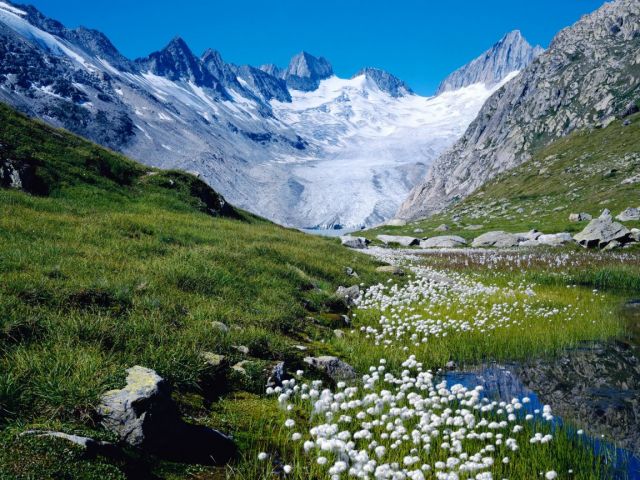
Switzerland.
Unsure of its exact location, appears rocky and mountainous with (possibly) mountain glaciers. Grass and white flowers are visible.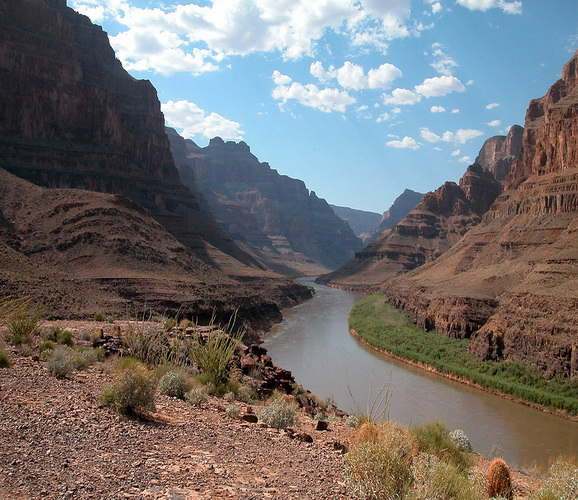
Grand Canyon, Armerica.
Located in Arizona, one of the most known gorges in the world.Grand Canyon is celebrated for its plunging depths; temple-like buttes; and vast, multihued, labyrinthine topography. Scenic wonders within park boundaries include high plateaus, plains, deserts, forests, cinder cones, lava flows, streams, waterfalls, and one of America’s great whitewater rivers.
- http://whc.unesco.org/en/list/75

Yosemite Valley, America.
Glacial valley located in California. Granite summits, forests of pine.References:
http://www.chockstonephotos.com/Australian-Print.asp?ID=375&C=Twelve-Apostles-Sunset-Great-Ocean-Road-Victoria-Australia
http://www.visitvictoria.com/Regions/Great-Ocean-Road/Activities-and-attractions/Nature-and-wildlife/Beaches-and-coastlines/12-Apostles.aspx
http://www.chockstonephotos.com/Australian-Print.asp?ID=9&C=Ben-Lomond-Dawn-Tasmania-Australia
http://www.bestourism.com/img/items/big/1148/Switzerland_Beautiful-landscape_4216.jpg
www.dirjournal.com/info/wp-content/uploads/2009/01/grand_canyon_2.jpg
http://www.dirjournal.com/info/wp-content/uploads/2009/02/yosemite_valley.jpg
http://en.wikipedia.org/wiki/Yosemite_Valley
Reference image: Yosemite Valley (California)
Letter/Number: M0


Monday, July 23, 2012
Tips and Tricks
Getting Started and Folder Structure
- 64 bit operating systems should use the editor located in the bin64 folder as it loads faster and allows more memory storage.
- Custom comments can be made by creating a file named 'user.cfg'.
- For articles, guides and help visit: www.sdk.crydev.net
- Ensure the setting manager located in the 'tools' folder is green, as it compiles textures and cgfs when exporting.
- The 'game' folder consists of pak files which can be extracted. This allows the user to unlock materials if they want to work with them.
- 'AI Physics': switches to realtime mode, but without the player visible on screen.
- 'Console': shows errors and allows addition of comments. After clicking on the input bar, variables pop up showing all possible, valid comments.
- 'Export Selected Geometry to Obj': this option works with solids as well as brushes. By exporting it to obj, it can be easily imported in other softwares.
- 'Configuration Types': can be set to low if operating system is weak.
- 'Group': useful in organisation.
- 'Prefabs': like 'group' except after copying a selection, for example, three times and then deciding to modify it, the change will appear on all three copies. Groups are more individual entities.
- 'Skinning': good for video recording.
- 'X, Y Z XY': if one is selected, only that axis is able to move.
- 'Snap to Terrain' shortcut is ctrl + 1, 'Snap to Object' shortcut is ctrl + 2
- 'Selection': in search bar, can save a selection of objects under a name.
- Dragging and dropping windows/panels on top of one another avoids the problem of overcrowding on the screen. It combines the windows into one with panels on the bottom to switch between them. This applies to the console, roll up bar, material editor, database and flow graph.
- Customise > Keyboard: user can create a new toolbar by going into the panel, 'comments' > all comments > then dragging and dropping comment into the new toolbar above the viewport.
- Customise > Keyboard > 'Options' panel: 'show shortcut keys in screen tips', allows shortcut key to be visible when hovered over options on the toolbar.
- Customise > Keyboard > 'Keyboard' panel: where hotkeys can be created.
- Recommended to enable auto backup, by going into tools > preferences.
- Holding onto shift + a movement button (a,s,w,d): allows for faster movement.
- Alt + middle mouse button: rotating camera around 'invisble' point on the screen.
- Camera tag points: ctrl + f1 to save position, shift + f1 to load camera position. Possible to save different position under different keys, e.g. ctrl + f2 to save, shift + f2 to load. Useful when working on a large level.
User Interface Panels - Overview
- Ctrl + T: 'select objects', shows list of all objects in the scene.
- H: hide.
- F: freeze.
- 'Database' view > entity library: where you can create and physicalise entities.
- Shift + space: turn helpers on.
Subscribe to:
Posts (Atom)